Stop manual follow-up
Team Easy is designed to replace copy-paste reminders, repeated nudges, and last-minute roster confusion.
Team Easy helps pickleball organizers create matches, invite players in waves, and keep the roster clear from first invite to final spot.
Fill the first spots with your core players before opening the rest of the roster.
Keep in, out, and pending player responses easy to read at a glance.
Move away from scattered group-text coordination and into one clean organizer flow.
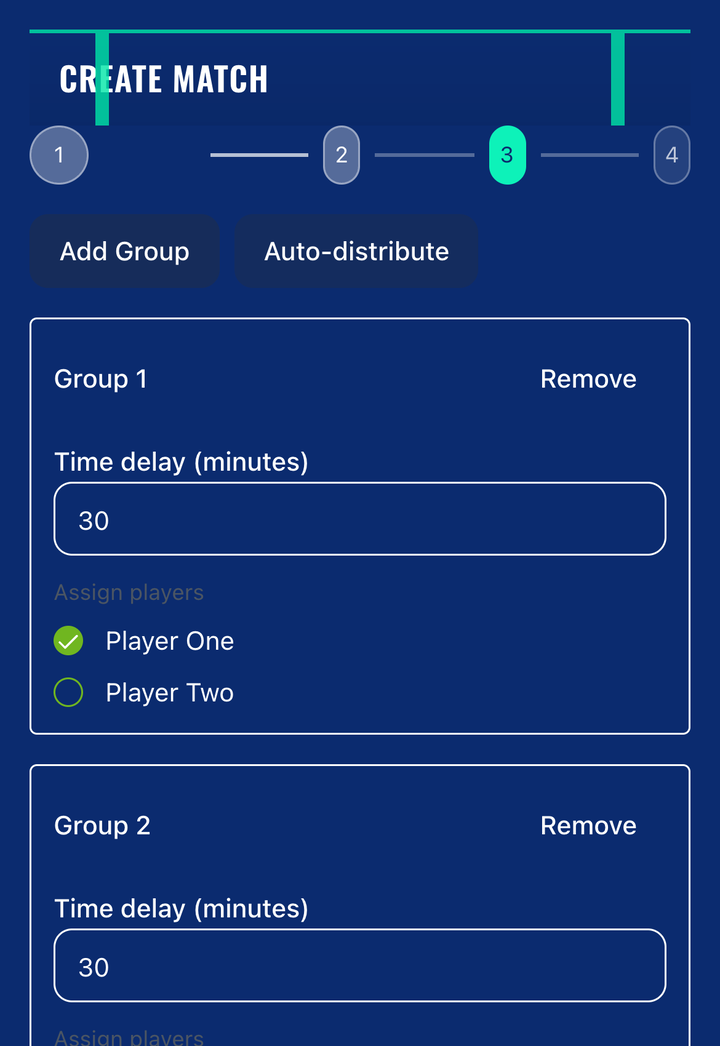
A cleaner workflow for organizers who want dependable courts and less coordination overhead.
Create a session with date, time, court details, player caps, and notes from one organizer flow.
Invite your core group first, then widen the list only when you still need players.
Make it easy for players to respond quickly instead of letting availability disappear in a long thread.
See who is in, who declined, and who is still pending before you send another invite wave.
Support weekly organizers, club play, and repeat sessions without spreadsheet cleanup.
Keep the invite flow structured so organizers can fill courts without constant manual follow-up.
The product direction is simple: give organizers a reliable system for creating sessions, pacing invites, and confirming attendance without living in a chaotic group thread.
Team Easy is designed to replace copy-paste reminders, repeated nudges, and last-minute roster confusion.
Organizers can see accepted, declined, and pending players without checking multiple threads.
Use the same workflow for weekly games, club sessions, and repeat organizer schedules.
The workflow should be visual, direct, and easy to follow. These are the three product moments that matter most to organizers.
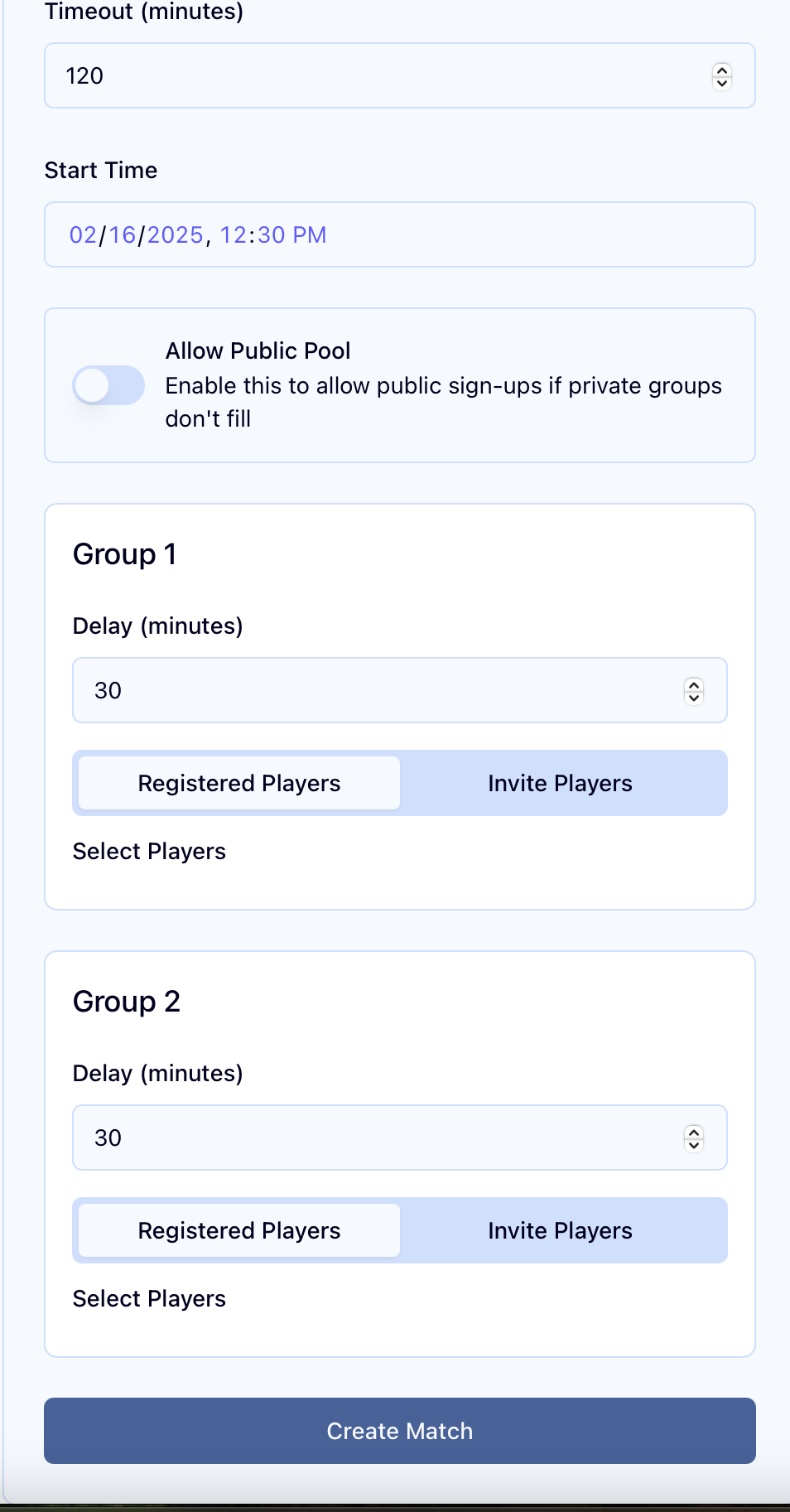
Set the date, time, court, player count, and rules so the organizer flow is ready before anyone gets invited.
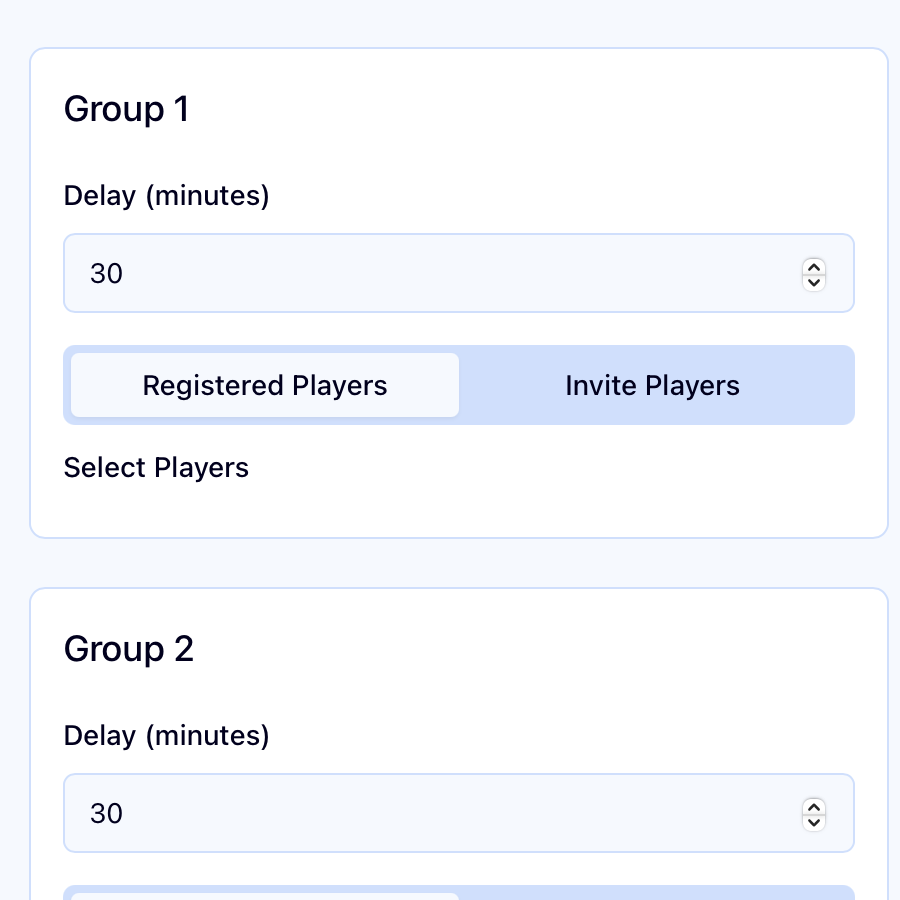
Group players into waves, adjust the delay, and move through the invite order without sending one giant blast.
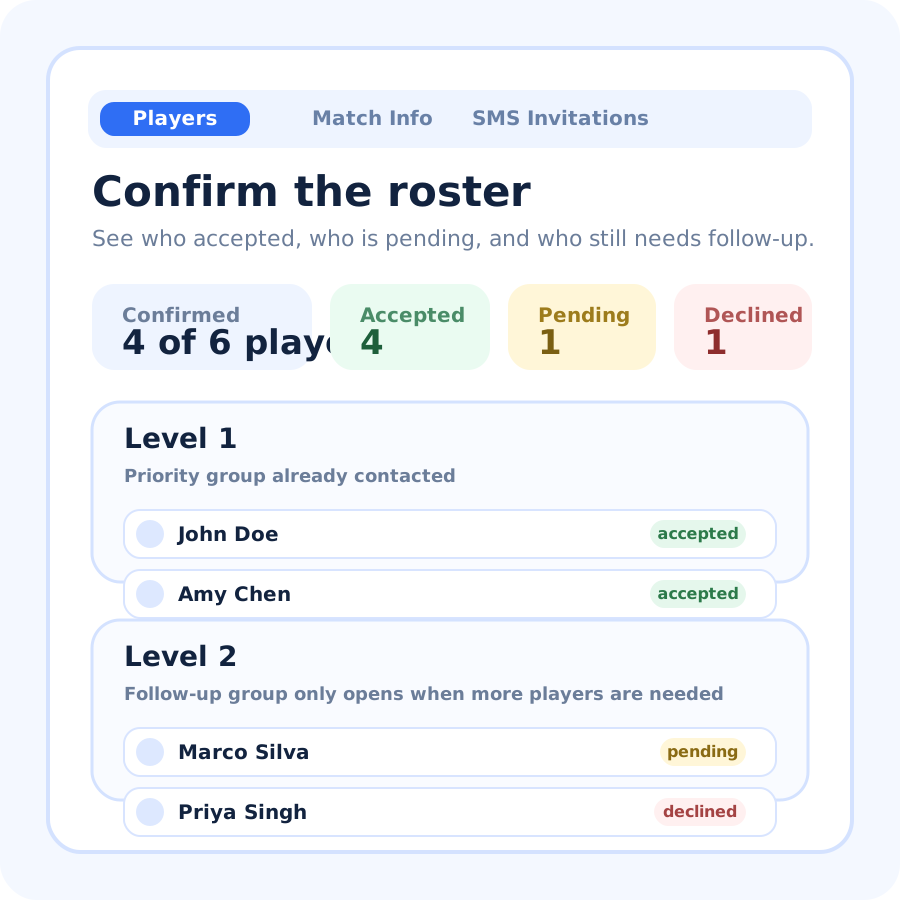
Track accepted, pending, and declined players in one place so it is obvious when the court is full.
Launching soon
Want early access for your pickleball group or club?